
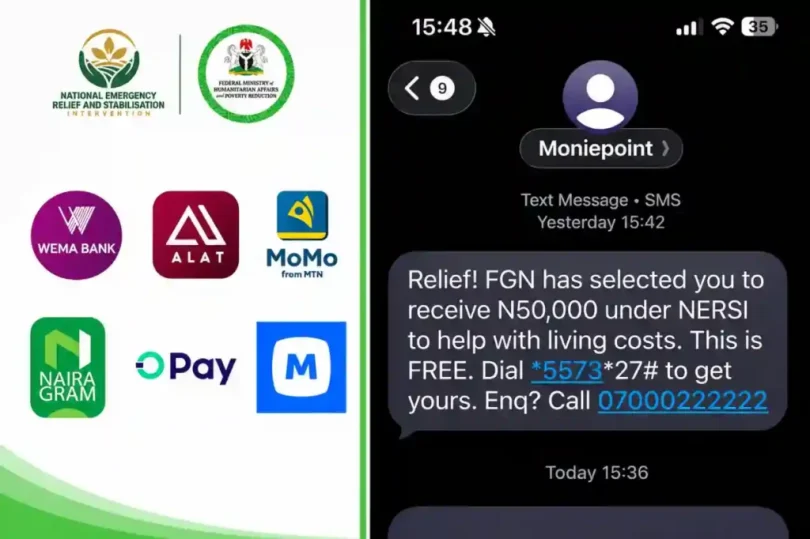
Selected beneficiaries of the Federal Government’s National Emergency Relief and Stabilisation Intervention (NERSI) must give consent before receiving the ₦50,000 support.
The programme provides financial assistance to poor and vulnerable households selected through verified national identity records and the National Social Register. There is no public application form, and nobody can pay to secure a place on the list.
According to the official NERSI portal, selected beneficiaries receive an SMS from one of five approved payment providers: ALAT by Wema Bank, MoMo Payment Service Bank (PSB), NairaGram, OPay or Moniepoint.
Recipients should follow the instructions in the genuine message. The process is free, and the money is credited to a mobile wallet linked to the beneficiary’s phone number and National Identification Number (NIN).
How to activate your payment
If you receive a selection SMS, reply YES when requested to give consent. You can also dial the relevant provider’s USSD code from the phone number that received the message and follow the prompts:
No internet connection is needed.
After consent, the wallet is opened and the ₦50,000 is credited. Your provider will send a confirmation message. You can then withdraw through a Point of Sale (POS) agent, visit a bank where supported, or transfer or spend the funds through your wallet.
Do not share your PIN, one-time password (OTP) or password, click links in messages, or pay anyone to activate the support. For assistance, call the NERSI helpline on 0700-022-2222.